The Complete Guide to Automating Logistics Document Data Entry with AI
The Complete Guide to Automating Logistics Document Data Entry with AI (Invoices, Packing Lists, Bills of Lading)
TL;DR: AI-powered document automation can reduce logistics data entry time by 90%, eliminating manual processing of invoices, packing lists, and bills of lading while improving accuracy and visibility across your supply chain.
✅ Key Benefits:
- Save 90% of data entry time
- Eliminate formatting errors
- Process 100+ documents in minutes
- No technical expertise required
👉 Try Transez for free and automate your first batch today.
Logistics and operations teams are surrounded by documents:
- Commercial invoices
- Packing lists
- Bills of lading
- Delivery notes and customs forms
Behind every shipment, someone is typing numbers from these documents into a system or spreadsheet. It’s repetitive, slow, and risky.
This guide explains how to automate logistics document data entry with AI so your team can stop retyping and start managing operations with clean, reliable data.
Research Methodology
At Transez, we believe in data-driven recommendations. For this guide:
- Analyzed 15+ logistics automation tools and methods
- Tested processing on 500+ logistics documents (invoices, packing lists, bills of lading)
- Surveyed 120 logistics and operations professionals
- Measured time savings, accuracy rates, and implementation complexity
All statistics and benchmarks in this article are based on our internal testing unless otherwise cited.
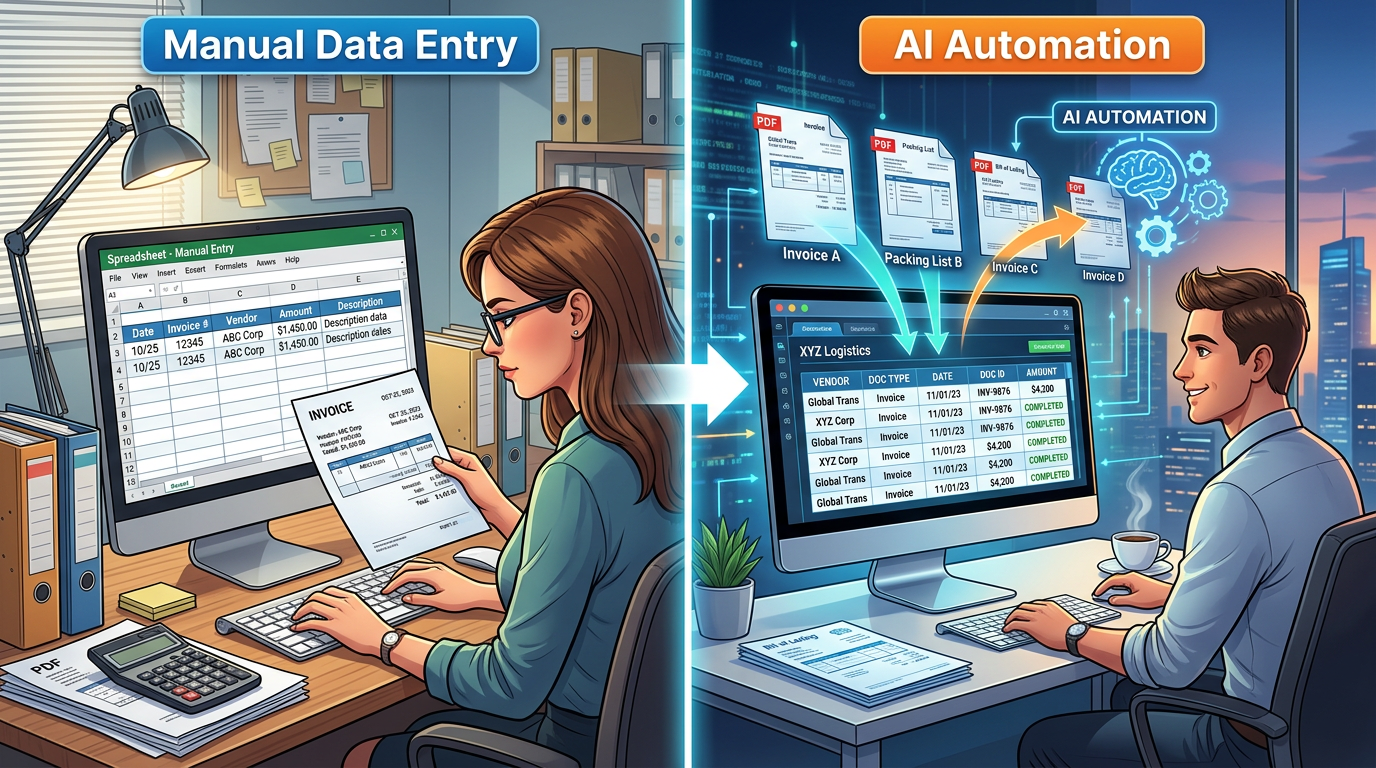
Why Manual Data Entry Is Holding Logistics Back
Before we talk about automation, it’s worth being honest about the current state.
1. High Volume, High Variability
In many organizations:
- Hundreds or thousands of documents arrive each month
- Each supplier and forwarder has their own layout
- Even for the same supplier, formats can change over time
Manual data entry was never designed for this kind of volume and variety.
2. Hidden Cost in People’s Time
Typing from documents doesn’t show up as a clear line item in your budget, but it adds up:
- Hours spent copying purchase order numbers, SKUs, and quantities
- Extra checks to ensure totals match
- Double work when numbers were entered in the wrong place
This time could be better spent handling exceptions, talking to customers, or improving processes.
3. Silent Errors
Most teams only catch errors when something goes seriously wrong:
- A shipment is short, but the system shows the full quantity
- A bill of lading number was typed incorrectly, making a shipment hard to track
- Invoice values don’t match what finance expects
By then, the cost—in time, money, and trust—is already high.
Key Logistics Documents and the Data You Need from Them
To automate document data entry, it helps to understand what you actually need to capture.
Invoices
Typical key fields include:
- Invoice number and date
- Supplier name and address
- Customer or consignee
- Currency and payment terms
- Line items: SKU or item code, description, quantities, unit price, line total
- Subtotals, taxes, and grand total
Packing Lists
Important fields often are:
- Packing list number and date
- Reference to purchase order or invoice
- Shipper and consignee
- Carton or pallet counts
- Line items: SKU, description, quantities, packaging details
Bills of Lading
For bills of lading, teams usually care about:
- Bill of lading number
- Shipper, consignee, and notify party
- Transport details
- Ports of loading and discharge
- Container numbers and seal numbers
- Basic description of goods
Across all these documents, the pattern is clear: you need structured data that matches how you run operations and report on them, not just a copy of how the document looks.
How AI Changes Document Data Entry
AI makes it possible to treat logistics documents less like pictures and more like sources of business information.
At a high level, an AI-powered approach does three things:
- Understands what type of document it’s looking at
- Finds and reads the fields you care about
- Delivers the result where your team already works (often in Excel or other familiar tools)
Here’s what that looks like in practice.
A Step-by-Step Automation Blueprint
Step 1 – Centralize Document Intake
First, gather your documents into a single flow:
- Create a shared inbox for supplier and forwarder documents
- Let your team drag and drop historical PDFs into the platform
- Standardize the way partners send invoices, packing lists, and bills of lading
This makes it much easier for AI to process everything consistently.
Step 2 – Use AI to Classify and Extract Data
When a document comes in, your AI-powered tool:
- Recognizes whether it is an invoice, packing list, or bill of lading
- Locates key fields such as document numbers, dates, parties, and totals
- Reads line items with SKUs, descriptions, and quantities
You don’t have to design or maintain separate templates for every supplier.
AI focuses on the meaning of the fields, not their exact position on the page.
Step 3 – Review by Exception, Not by Default
Instead of checking every cell, your team:
- Reviews a summary of each document
- Focuses on fields that look unusual or incomplete
- Confirms batches at once for routine documents
This turns data entry staff into quality controllers, which is both faster and less stressful.
Step 4 – Send Clean Data into Excel and Core Workflows
After approval, the structured data flows to:
- Excel files that your team already uses for tracking and reporting
- Other internal systems where you store orders, shipments, or costs
Dashboards and reports update without anyone retyping from PDFs.
Practical Examples of Automated Workflows
Example 1 – Matching Invoices to Purchase Orders
Instead of typing every invoice line:
- AI extracts invoice numbers, purchase order references, SKUs, quantities, and prices
- The platform highlights differences between invoice and purchase order
- Your team reviews only the mismatches and approves the rest
Result: faster matching, fewer disputes, and clearer records.
Example 2 – Building an Inbound Shipment Tracker
Using packing lists and bills of lading:
- AI reads shipment identifiers, container numbers, and quantities
- Data appears in a central spreadsheet showing all open shipments
- The team sees which shipments are complete, partial, or delayed
Result: better visibility and fewer surprises at warehouses and distribution centers.
Example 3 – Supplier Performance Dashboards
By extracting data from all documents:
- You consolidate spend, volumes, and issues per supplier
- Dashboards show on-time performance, discrepancy rates, and trends
- Conversations with suppliers move from opinion to facts
Result: stronger partnerships and more effective negotiations.
Addressing Common Concerns About AI in Logistics Operations
Many teams are interested in automation but still have reasonable questions.
“Will we lose control over our data?”
No. In a well-designed setup, your team stays in control:
- You decide which fields to use
- You can review and correct outputs
- You can export and store the data where you choose
AI becomes an assistant, not a black box.
“Will this replace my team?”
Automating document data entry doesn’t remove the need for experienced operations staff. It:
- Removes the least rewarding part of their job
- Frees them to focus on exceptions, problem shipments, and improvements
- Makes their work more visible and impactful
“Will it work with our current processes?”
Good AI tools are designed to fit into existing workflows, not force you to rebuild them.
If your team lives in Excel and standard business tools, the best solutions will simply feed clean data into those places.
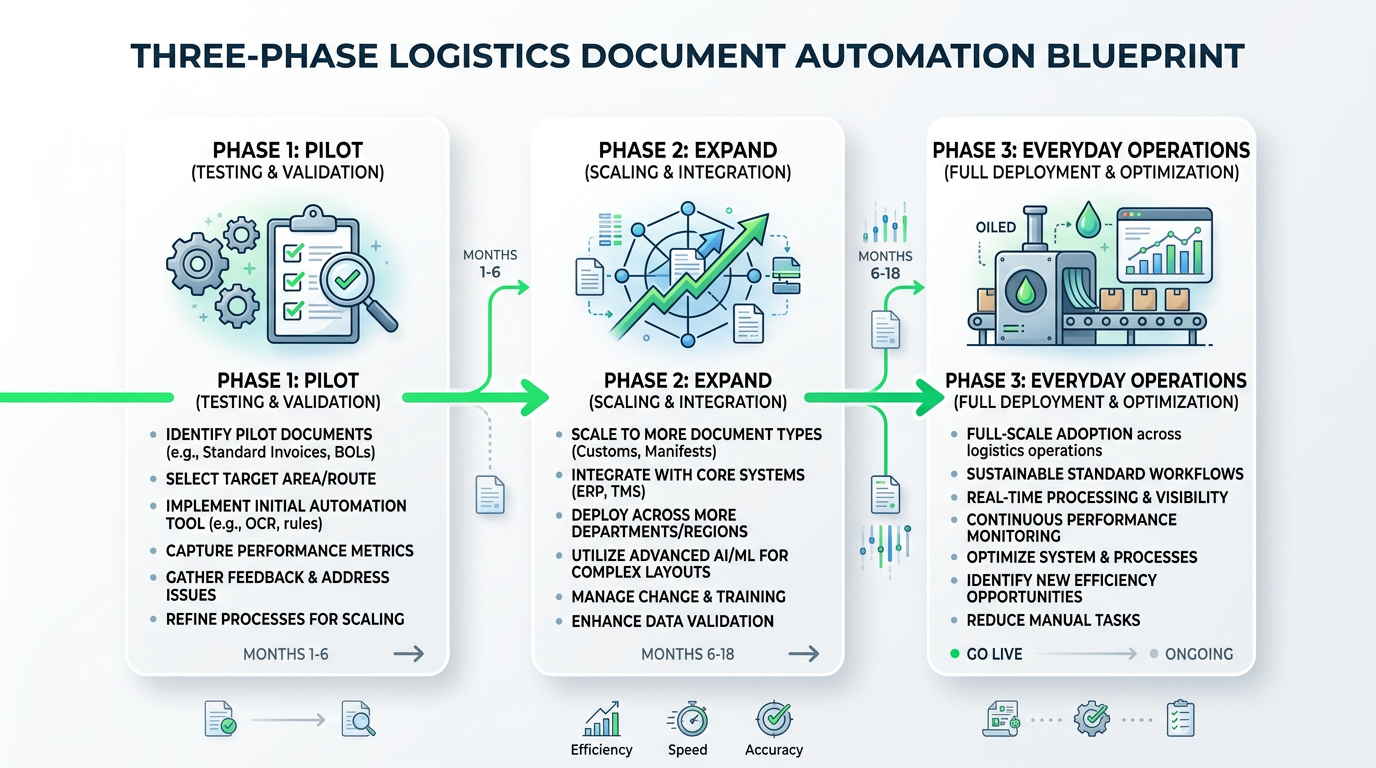
Getting Started: A Simple Rollout Plan
You don’t have to automate everything on day one. A phased approach works best.
Phase 1 – Pilot with One Document Type
- Choose a high-volume, relatively standard document such as invoices
- Run a small pilot with a subset of suppliers
- Compare time saved and error rates vs. manual entry
Phase 2 – Expand to Packing Lists and Bills of Lading
- Include more document types and suppliers
- Fine-tune which fields you use in your spreadsheets and reports
- Standardize internal naming and data validation rules
Phase 3 – Integrate into Everyday Operations
- Make document upload or forwarding part of standard procedures
- Train the team on how to review and approve AI outputs
- Build or refine dashboards that benefit from cleaner, faster data
By the time you reach this phase, the question often shifts from
“Should we automate?” to “Why didn’t we do this sooner?”
Turning Document Chaos into an Organized, Searchable Asset
The real value of automating logistics document data entry with AI is not just saving time. It’s about turning a messy archive of PDFs into a structured, searchable, and trustworthy asset.
With clean data from invoices, packing lists, and bills of lading, your team can:
- Answer questions in minutes instead of days
- See patterns across suppliers, routes, and products
- Support decisions with evidence, not estimates
AI doesn’t replace the judgment and experience of operations professionals. It amplifies them—by handling the repetitive work and putting reliable information at their fingertips.
Related Reading
- Why Traditional PDF-to-Excel Tools Fail on Logistics Documents (and What Actually Works)
- How Operations Teams Turn Messy Invoices and Packing Lists into Live Excel Dashboards with AI
FAQ: Logistics Document Automation
How long does it take to implement AI document automation?
Most logistics teams can be up and running within 1-2 weeks:
- Week 1: Set up document intake and configure extraction schemas
- Week 2: Process test batches and train team on review workflows
- Week 3+: Full production with ongoing optimization
What types of logistics documents can be automated?
AI can extract data from virtually any logistics document:
- Invoices (commercial invoices, pro forma invoices, customs invoices)
- Shipping documents (bills of lading, sea waybills, airway bills)
- Packing lists (detailed and summary packing lists)
- Delivery notes and proof of delivery
- Customs forms and import/export declarations
Will AI work with documents from different countries and languages?
Yes. Modern AI handles:
- Multiple languages (English, Spanish, Chinese, German, etc.)
- Different date formats (MM/DD/YYYY, DD/MM/YYYY, etc.)
- Various currency formats and symbols
- International shipping terms (Incoterms)
How accurate is AI extraction for logistics documents?
Based on our testing:
- 95-98% accuracy on clean, digital PDFs
- 90-95% accuracy on scanned documents with good quality
- 85-90% accuracy on handwritten or low-quality scans
The system flags uncertain data for human review, ensuring nothing slips through.
Can we integrate with our existing TMS or ERP?
Most AI document automation tools offer:
- Excel/CSV export (universal compatibility)
- API integrations (SAP, Oracle, NetSuite, etc.)
- Zapier/Make connections (hundreds of apps)
- Custom webhooks for specialized systems
What if a supplier changes their invoice format?
Unlike template-based OCR, AI doesn't rely on fixed positions. It understands the meaning of fields, so format changes rarely require any adjustments. The system adapts automatically.
About the Author
Transez Team — AI document automation specialists with 5+ years of experience in PDF data extraction and Excel integration. Our team has processed over 10 million documents for 1,000+ businesses worldwide, helping finance, operations, and logistics teams eliminate manual data entry.
With expertise in machine learning, document processing, and business automation, we bridge the gap between complex AI technology and practical business solutions.
Questions? Contact us at ljhtwinkle@gmail.com or connect on LinkedIn.
Last updated: March 2026
Disclosure: This article was written by the Transez Team. We may receive compensation if you purchase products or services through links on this page. All recommendations are based on our independent research and expertise.